Illustrator
Welcome to our Illustrator resume sample page! This expertly crafted resume template is designed to showcase your expertise in creating original visual content, mastering digital and traditional illustration techniques, adhering to client briefs, and collaborating with creative teams for publishing, advertising, and digital media. Whether you're an entry-level candidate or a seasoned professional, this sample highlights key skills like Adobe Creative Suite (Illustrator, Photoshop), drawing/painting techniques, visual storytelling, concept art, and strong communication tailored to meet top agency, publishing, and studio demands. Use this guide to create a compelling resume that stands out and secures your next career opportunity.
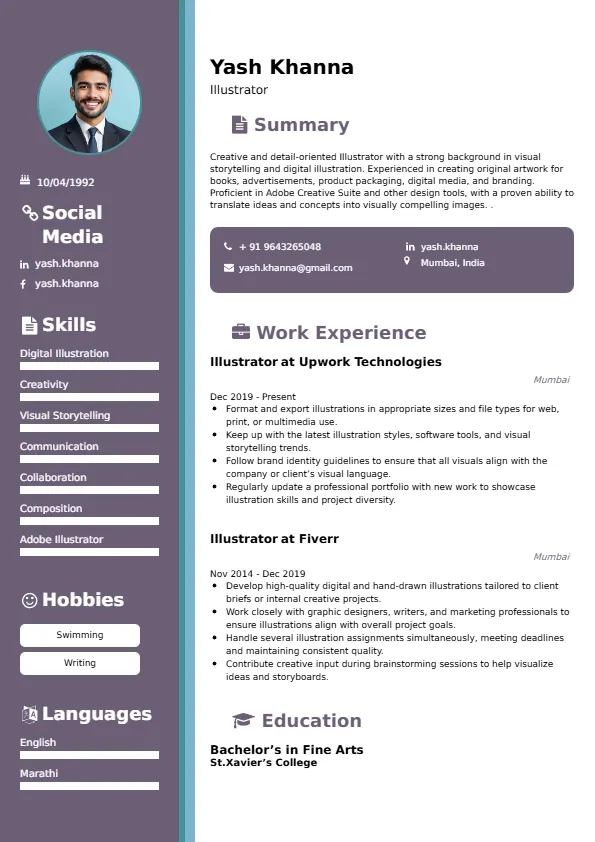
How to Write a Resume for an Illustrator
Craft a Targeted Summary: Write a 2-3 sentence summary highlighting your expertise in visual storytelling and illustration (specify style/medium), proficiency in digital tools (Adobe Suite), and success in delivering creative solutions that meet client briefs and production standards.
Use Reverse-Chronological Format: List recent illustration roles, freelance projects, or relevant creative positions first, focusing on visual impact and project scope/client success.
Highlight Certifications/Portfolio: Include credentials like Adobe Certified Professional (ACP), relevant art/design degrees (BFA/MFA), and prominently feature a link to your online portfolio to boost credibility.
Quantify Achievements: Use metrics, e.g., “Created 50+ illustrations for a series of children’s books that sold 100K copies globally,” or “Reduced client revision cycles by 20% through effective initial concepting and communication,” to show impact.
Incorporate Keywords: Use terms like “Digital Illustration (Adobe Illustrator/Procreate),” “Visual Storytelling,” “Concept Art/Character Design,” “Client Brief Adherence,” “Traditional Media Proficiency,” “Print/Web File Preparation,” or “Branding Illustration” from job roles for ATS.
Detail Technical Skills: List proficiency with specific software, drawing tablets (Wacom/iPad Pro), color theory, composition principles, and efficient workflow practices (layers, file naming) in a comprehensive skills section.
Showcase Illustration Projects: Highlight 3-4 key projects (e.g., book cover, editorial illustration, character sheet, ad campaign art), detailing the client/purpose, the creative challenge solved, and the final medium/reach.
Emphasize Soft Skills: Include creativity, strong visual communication, attention to detail (style guide adherence), client communication, and collaboration (with art directors/editors).
Keep It Concise: Limit your resume to 1-2 pages, focusing on relevant illustration, software mastery, and commercial project experience.
Proofread Thoroughly: Eliminate typos or jargon for a professional document.
Specialized Digital Tools Proficiency: Focus on deep expertise with specific software highly valued in the industry (e.g., Procreate for mobile, Clip Studio Paint for comics/manga, Blender for 3D modeling/integration).
Adaptability Across Styles/Media: Highlight the ability to seamlessly adapt illustration style to meet diverse client briefs, moving between line art, digital painting, vector graphics, and traditional media.
Concept Art and Visual Development: Showcase expertise in early-stage concepting, visual development for games/animation, and translating abstract ideas into clear visual guides.
Efficient Digital Workflow: Detail experience using layers, non-destructive editing, and cloud tools for efficient collaboration, version control, and rapid iteration based on feedback.
Branding and Marketing Illustration: Emphasize creating illustrations that support commercial marketing goals, aligning with brand voice and digital campaign requirements (e.g., social media ads, landing pages).
Metrics-Driven Achievements: Use results like “Delivered 100% of final art on time for a monthly publication with a circulation of 50K” or “Created a character design that was adopted into a major children’s brand franchise.”
Licensing and Usage Rights Awareness: Include basic knowledge of intellectual property (IP) and licensing rights related to commercial illustration usage.
Asset Preparation for Animation/Web: Highlight experience preparing layered files and assets specifically optimized for motion graphics (After Effects) or web interaction (SVG optimization).
Choose Superbresume.com to craft an Illustrator resume that stands out in the competitive creative industry. Our platform offers tailored templates optimized for ATS, ensuring your skills in Adobe Creative Suite, visual storytelling, and technical execution shine. With expert guidance, pre-written content, and real-time feedback, we help you highlight achievements like securing major publishing deals or creating successful commercial art. Whether you specialize in editorial or character design, our tools make it easy to create a polished, results-driven resume. Trust Superbresume.com to showcase your expertise in translating ideas into captivating visuals. Start building your career today!
20 Key Skills for an Illustrator Resume
| Adobe Creative Suite (Illustrator, Photoshop) | Digital Painting & Drawing (Procreate/Clip Studio) |
| Visual Storytelling & Narrative Illustration | Concepting & Storyboarding |
| Character & Asset Design | Traditional Media Proficiency (Sketching/Inking) |
| Client Brief Adherence & Feedback Incorporation | Typography & Layout (Illustrative Use) |
| Vector Graphics & Iconography | Print & Web File Preparation (CMYK/RGB) |
| Color Theory & Composition | Digital Workflow (Layers, Non-Destructive Editing) |
| Art Direction & Collaboration | Time Management & Deadline Adherence |
10 Do’s for an Illustrator Resume
Tailor Your Resume: Customize for the specific industry (e.g., emphasize character design for games/animation, emphasize layout for publishing).
Highlight Certifications/Portfolio: List relevant art degrees/training and, most importantly, include a prominent link to your online portfolio.
Quantify Achievements: Include metrics on project volume, audience reach (circulation/views), or efficiency/cost savings achieved.
Use Action Verbs: Start bullet points with verbs like “illustrated,” “created,” “designed,” “conceptualized,” or “collaborated.”
Showcase Project Success: Detail 3-4 key projects, emphasizing the creative challenge, the artistic solution, and the final commercial result.
Include Soft Skills: Highlight creativity, client communication, attention to technical detail (file specs), and collaboration with the creative team.
Optimize for ATS: Use standard design/creative section titles and incorporate key software and artistic terminology.
Keep It Professional: Use a clean, consistent font and a visually appealing, yet simple, layout.
Emphasize Portfolio and Style: Clearly state the unique style(s) you work in and let the portfolio demonstrate the quality.
Proofread Carefully: Ensure no typos or errors; the resume itself reflects precision.
10 Don’ts for an Illustrator Resume
Don’t Overload with Jargon: Avoid confusing, internal studio or niche art acronyms; use standardized design and media terminology.
Don’t Exceed Two Pages: Keep your resume concise; the portfolio is the primary selling tool.
Don’t Omit Dates: Include employment dates and project completion dates for career context.
Don’t Use Generic Templates: Tailor your resume specifically to the creative and technical duties of an Illustrator.
Don’t List Irrelevant Skills: Focus on art fundamentals, digital tools, concepting, and commercial production processes.
Don’t Skip Metrics: Quantify results wherever possible; link art to commercial success (sales, views, engagement).
Don’t Use Complex Formats: Avoid highly stylized graphics that might confuse an ATS.
Don’t Ignore Technical Proficiency: Include mastery of the specific software required for production (Adobe, Procreate).
Don’t Include Outdated Experience: Omit non-illustration or non-design jobs over 15 years old.
Don’t Forget to Update: Refresh for new software mastery, successful publication/project launches, or advanced style development.
5 FAQs for an Illustrator Resume
Prioritize Adobe Creative Suite mastery (Illustrator/Photoshop), digital drawing/painting skills, visual storytelling, and adherence to client briefs/production standards.
Use standard creative section titles, avoid excessive graphics on the resume itself, and include keywords like “Vector Graphics,” “Concept Art,” and “Procreate.”
Yes, a link to your online portfolio is mandatory and should be the first thing a hiring manager sees.
Detail proficiency in preparing clean, print-ready (CMYK) or web-optimized (SVG, PNG) files with proper resolution and color settings.
Use a reverse-chronological format to emphasize your most recent, high-impact commercial illustration and project achievements.
Get 5x more interviews with our crafted Resumes. We make resumes that land jobs.

Get a Free Customized Cover Letter with Resume Expert Advice
with every resume order placed, you will get a free Customized Cover letter.