Office Assistant
Welcome to our Office Assistant resume sample page! This expertly crafted resume template is designed to showcase your expertise in providing general administrative support, managing filing systems, handling communications (phone/email), scheduling, and maintaining an organized office environment. Whether you work in a corporate office, medical practice, or school, this sample highlights key skills like Filing Accuracy, Data Entry, MS Office Suite, Professional Communication, and Organizational Excellence tailored to meet top organizational demands. Use this guide to create a compelling resume that stands out and secures your next career opportunity.
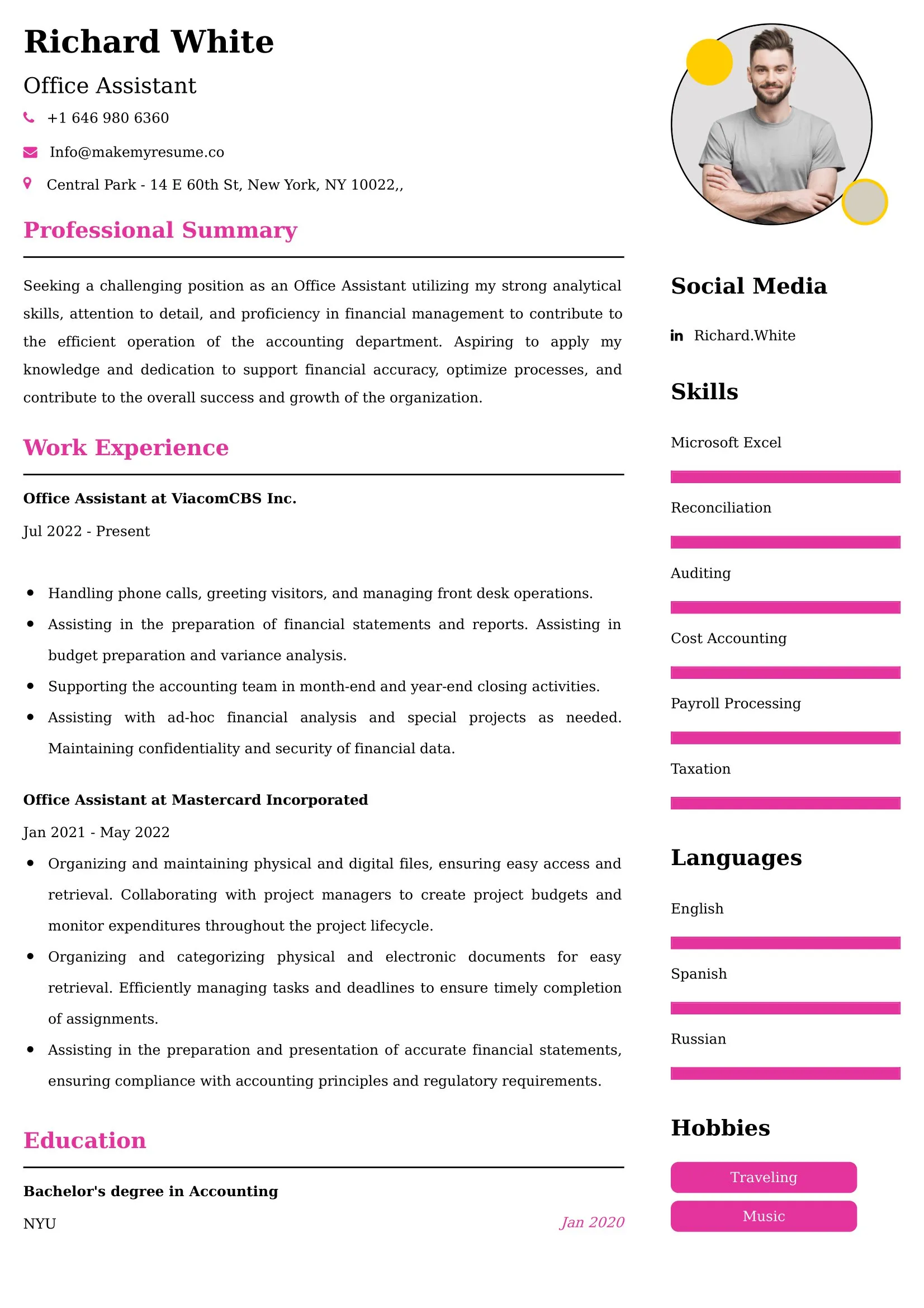
Superbresume.com empowers Office Assistants to craft resumes that highlight their organizational precision and administrative support expertise. Our platform offers customizable templates tailored for entry-level administrative roles, emphasizing skills like advanced phone etiquette, confidential document handling, inventory management (supplies), and electronic calendar support. With ATS-optimized formats, expert-written content suggestions, and real-time resume analysis, we ensure your resume aligns with job descriptions. Showcase your experience in successfully managing a busy reception area, streamlining digital filing systems, or maintaining a high level of accuracy in data entry and record keeping with confidence. Superbresume.com helps you create a polished, results-driven resume that grabs hiring managers’ attention and lands interviews.
How to Write a Resume for an Office Assistant
Craft a Targeted Summary: Write a 2-3 sentence summary highlighting your experience in administrative support, proficiency in MS Office Suite and data entry, and success in maintaining an organized office and providing professional, efficient communication and coordination.
Use Reverse-Chronological Format: List recent office assistant, clerical, or customer service roles first, focusing on measurable organizational and administrative achievements.
Highlight Certifications/Training: Include credentials like Certified Administrative Professional (CAP) Associate, MS Office Suite Specialist certification, or relevant administrative software training to boost credibility.
Quantify Achievements: Use metrics, e.g., “Managed the filing system for 200+ active client records, ensuring 100% retrieval accuracy,” or “Successfully managed a multi-line phone system, directing 75+ calls daily and reducing hold times by 50%,” to show impact.
Incorporate Keywords: Use terms like “Administrative Support,” “Filing Systems (Digital/Physical),” “MS Office Suite (Word/Excel),” “Professional Communication (Phone/Email),” “Data Entry Accuracy,” “Scheduling & Calendaring,” or “Organizational Excellence” from job descriptions for ATS.
Detail Administrative Skills: List proficiency with specific software (Outlook, Excel, QuickBooks basic), multi-line phone systems, mail handling, inventory management (supplies), and scheduling tools in a dedicated skills section.
Showcase Organizational Success: Highlight 3-4 key responsibilities or projects (e.g., reorganizing a file room, managing the meeting room booking process, streamlining the supply ordering system), detailing the scope and the efficiency/accuracy result.
Emphasize Soft Skills: Include meticulous attention to detail, professionalism, strong communication, organization, time management, and a proactive attitude.
Keep It Concise: Limit your resume to 1 page, focusing on relevant administrative, organizational, and support experience.
Proofread Thoroughly: Eliminate typos or jargon for a professional document.
Digital File Management and Archiving: Focus on expertise managing digital document storage (cloud/network folders), implementing file naming conventions, and assisting with electronic archiving and retrieval.
Remote Communication and Meeting Coordination: Highlight proficiency managing correspondence and scheduling across virtual platforms (Zoom, Teams) and ensuring technology setup for internal meetings.
MS Office Automation (Basic): Showcase skills using basic Excel functions (VLOOKUP, Pivot Tables) for tracking data and utilizing advanced MS Word features (templates, mail merge) for efficient document creation.
Client/Visitor Management Systems: Detail experience operating modern visitor sign-in/management software and ensuring a professional, secure reception area.
Inventory Control and Cost Reduction: Emphasize tracking and ordering office supplies, negotiating minor vendor pricing, and finding efficiencies in administrative purchasing.
Metrics-Driven Achievements: Use results like “Reduced the time required to onboard new administrative files by 20% through standardized digital templates” or “Maintained a 98% accuracy rate in complex data entry tasks.”
Cross-Functional Support: Include experience providing administrative support across multiple departments (e.g., assisting HR with filing, supporting Accounting with invoice processing).
Confidentiality and Data Handling: Highlight adherence to protocols for handling sensitive documents (personnel files, financial data) and maintaining strict confidentiality.
Choose Superbresume.com to craft an Office Assistant resume that stands out in the essential administrative support field. Our platform offers tailored templates optimized for ATS, ensuring your skills in organizational excellence, communication, and software proficiency shine. With expert guidance, pre-written content, and real-time feedback, we help you highlight achievements like streamlining filing systems or managing high-volume communication efficiently. Whether you support a corporate team or a small office, our tools make it easy to create a polished, results-driven resume. Trust Superbresume.com to showcase your expertise in reliable, organized, and professional administrative support. Start building your career today!
20 Key Skills for an Office Assistant Resume
| Filing & Document Control (Digital/Physical) | MS Office Suite (Word, Excel, Outlook) |
| Professional Communication (Phone/Email Etiquette) | Data Entry & Quality Control |
| Scheduling & Calendar Management | Multi-Line Phone System Operation |
| Inventory Management (Office Supplies) | Organizational Excellence & Time Management |
| Mail Handling & Distribution | Meeting Setup & Logistics Support |
| Confidentiality & Discretion | Troubleshooting (Basic Office Equipment) |
10 Do’s for an Office Assistant Resume
Tailor Your Resume: Customize for the specific industry and the size/type of office supported.
Highlight Certifications/Training: List CAP or MS Office Specialist certifications prominently.
Quantify Achievements: Include metrics on volume (calls/data entries managed), accuracy rates, or efficiency gains in administrative processes.
Use Action Verbs: Start bullet points with verbs like “managed,” “organized,” “processed,” “assisted,” or “maintained.”
Showcase Organizational Success: Detail a project or duty that measurably improved office workflow or document access speed.
Include Soft Skills: Highlight meticulous detail, professionalism, strong communication, and proactive work ethic.
Optimize for ATS: Use standard administrative section titles and incorporate key software and organizational terms.
Keep It Concise: Limit your resume to one page, focusing on relevant administrative and organizational experience.
Emphasize Software Proficiency and Accuracy: Clearly articulate expertise in the core tools and commitment to data integrity.
Proofread Thoroughly: Eliminate typos or jargon for a professional document.
10 Don’ts for an Office Assistant Resume
Don’t Overload with Jargon: Avoid confusing, internal company acronyms; use standardized administrative terminology.
Don’t Exceed One Page: Keep your resume sharp and focused on the most relevant, measurable duties.
Don’t Omit Dates: Include employment dates for career context.
Don’t Use Generic Templates: Tailor your resume specifically to the administrative and organizational duties of an Office Assistant.
Don’t List Irrelevant Skills: Focus on organization, communication, data entry, scheduling, and office systems.
Don’t Skip Metrics: Quantify results wherever possible; link achievements to efficiency, volume, or accuracy.
Don’t Use Complex Formats: Avoid highly stylized elements or confusing graphics.
Don’t Ignore Communication: Include explicit experience managing professional phone and email correspondence.
Don’t Include Outdated Experience: Omit non-administrative or irrelevant jobs over 10 years old.
Don’t Forget to Update: Refresh for new software mastery, successful organizational projects, or advanced administrative training.
5 FAQ's for an Office Assistant Resume
Only if it is above 60 WPM. Otherwise, focus on "accuracy in data entry and record-keeping."
"Managed a 10-line phone system while coordinating shipping/receiving for a 50-person department."
Mastery of Outlook (calendaring), Excel (basic formulas), and Word (templates).
"Served as the primary brand ambassador, providing a professional first point of contact for high-profile clients."
Yes. "Optimized the office supply procurement process, reducing monthly waste by 10%."
Get 5x more interviews with our crafted Resumes. We make resumes that land jobs.

Get a Free Customized Cover Letter with Resume Expert Advice
with every resume order placed, you will get a free Customized Cover letter.